
Parcel locker selection
Use InPost GeoWidget V5 to let customers choose an available Parcel Locker or pickup point. A valid GeoWidget key and the matching checkout integration are required.
 OCS / OPENCART
Click an image to enlarge
Direct access to specialist OpenCart experience.
OCS / OPENCART SOLUTIONS
Offer InPost parcel lockers and courier delivery in your OpenCart 3 store, then manage shipments and labels from your administration. The OCS module is free to order.
Ex Tax: €0.00
Description
Features, requirements and the full product information.
Offer InPost parcel lockers and courier delivery in your OpenCart 3 store, then manage shipments and labels from your administration. The OCS module is free to order.
Give customers a practical way to choose their delivery point and give your team the tools to prepare shipments using order information already in OpenCart.
Use InPost GeoWidget V5 to let customers choose an available Parcel Locker or pickup point. A valid GeoWidget key and the matching checkout integration are required.
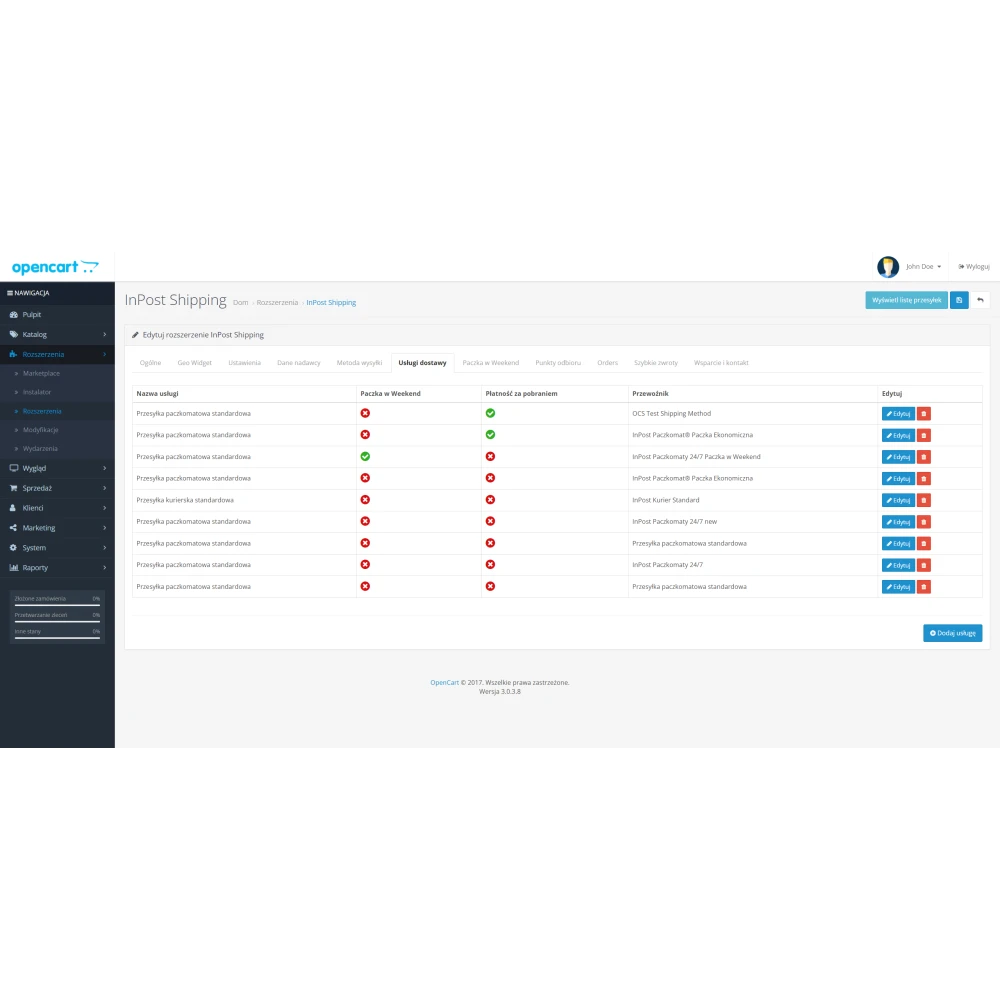
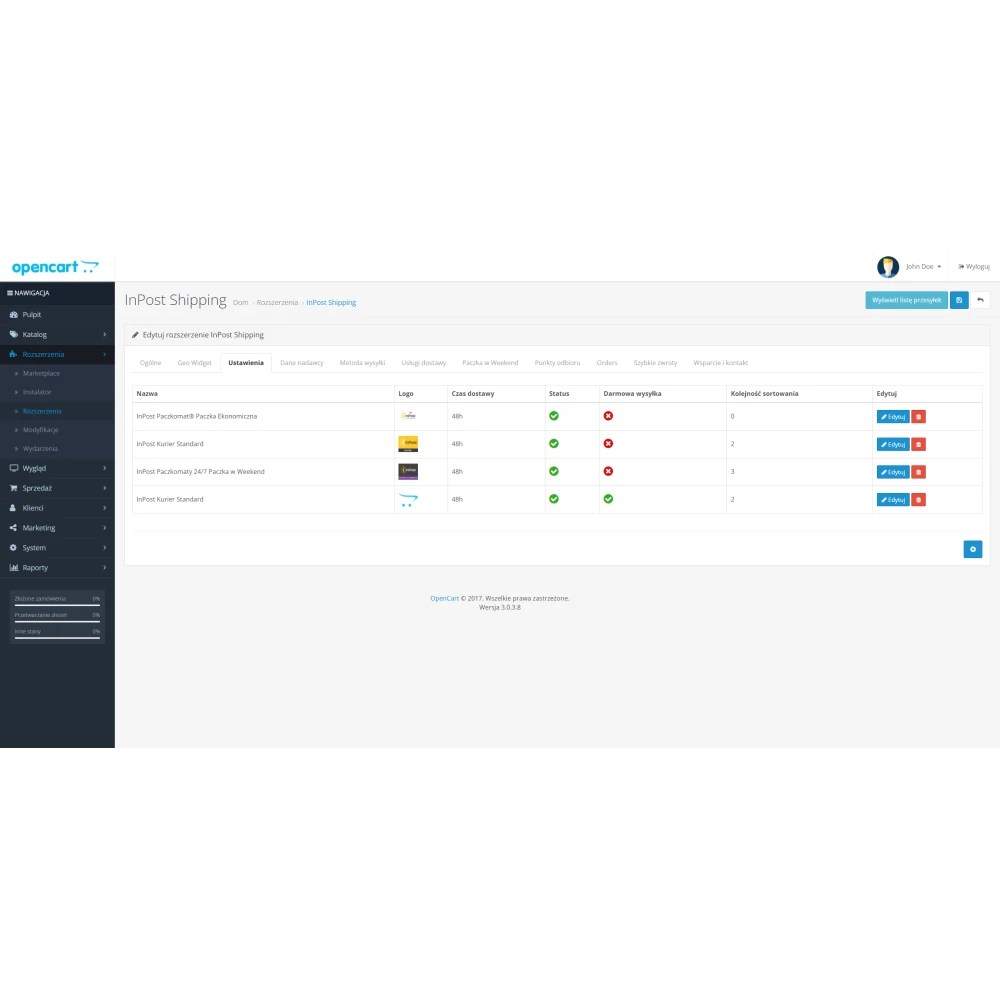
Configure the InPost services available to your account. Set delivery names, ordering, locations, customer groups and shipping charges by weight or order value.
Create shipments with order details filled in, review the recipient and parcel data, then generate or print shipping labels through your InPost ShipX account.
Use parcel templates or product dimensions and weights when preparing shipments. Configure cash on delivery and weekend delivery where your InPost services support them.
Link shipments to orders and configure the available order-status options. Shipment-status synchronisation requires the module’s scheduled task to be set up correctly.
Configure the module’s Quick Returns option for your store. Availability and return conditions depend on your InPost setup and agreements.
At checkout, the customer selects an InPost method and, where required, a parcel locker or pickup point.
The selected delivery information is saved with the order so your team can use it when preparing the shipment.
Check the address, parcel dimensions, service and any extra options before sending the shipment request to ShipX.
Print the available label, prepare the parcel and follow the selected InPost sending procedure.
Add the module to your cart and complete checkout with your OCS customer account. The module price is zero; you still need to finish the order.
Open Downloads for the available OCMOD package. Open Module licenses for the key assigned to this module purchase.
Use OpenCart Extensions > Installer, refresh Extensions > Modifications, then install InPost under Extensions > Shipping. Check for conflicts before changing a working checkout.
Enter the matching OCS key on the module’s activation screen. Add your own ShipX and GeoWidget credentials, sender details, delivery methods and service settings.
Use the available sandbox settings to check point selection and shipment preparation. Before enabling production, check fees and services, labels, returns and scheduled tasks for your configuration.
Each purchased unit receives a key for one exact store hostname and this module only. example.com and www.example.com are different hostnames. Initial activation contacts OCS; the module then renews its signed activation automatically. An existing valid activation can work through a temporary connection problem only until its certificate expires, at most seven days.
Moving domains? Release the old domain in Module licenses, then use the newly generated key on the new store. A previous cached activation can remain valid for up to seven days after release or revocation. Ask OCS about staging or test domains.
This product integrates InPost delivery and shipping operations. It does not add InPost Pay or replace your payment gateway.
The supplied package includes standard OpenCart and Universal Checkout integration. A different checkout or a heavily customised theme needs to be assessed. Send OCS your OpenCart version, theme and checkout name first.
Check the GeoWidget key, production versus sandbox mode, domain permissions and checkout integration. Also check browser console errors and whether the external InPost widget can load.
Check that the key matches this module, the exact store hostname is correct and your server can connect to OCS over HTTPS. Check your order status if the key is unavailable. Contact OCS with your order number and domain, without sending the full key.
Purchase information
Know what to expect before you order. These details apply to this product.
Customer reviews